MapLibre Terra Draw plugin
This section introduces a MapLibre plugin for easy integration with Terra Draw.
maplibre-gl-terradraw
Through the previous exercises you have now seen how Terra Draw works and how much control it gives you. However, you still need to write quite a lot of code to bring a full drawing UI to your map application.
maplibre-gl-terradraw was developed for easy integration with MapLibre: it wraps Terra Draw in a standard MapLibre control with ready-made buttons.
Installation
Usage
Just add a few lines of code to your MapLibre application:
import { MaplibreTerradrawControl } from '@watergis/maplibre-gl-terradraw';
import '@watergis/maplibre-gl-terradraw/dist/maplibre-gl-terradraw.css';

const drawControl = new MaplibreTerradrawControl();
map.addControl(drawControl, 'top-left');
Try it in the live editor
Add the control with your favourite selection of modes. The plugin supports all Terra Draw modes — including polyline, undo and redo buttons — plus extra buttons like delete and download.
Note
The plugin's stylesheet is already loaded in the live editor's preview. In your own project, don't forget to import @watergis/maplibre-gl-terradraw/dist/maplibre-gl-terradraw.css.
Available controls
There are three controls available in the plugin:
| Control | Description |
|---|---|
| MaplibreTerradrawControl | Standard control for drawing |
| MaplibreMeasureControl | Control for measuring distance, area and altitude |
| MaplibreValhallaControl | Control for integrating with the Valhalla API (routing and isochrones) |
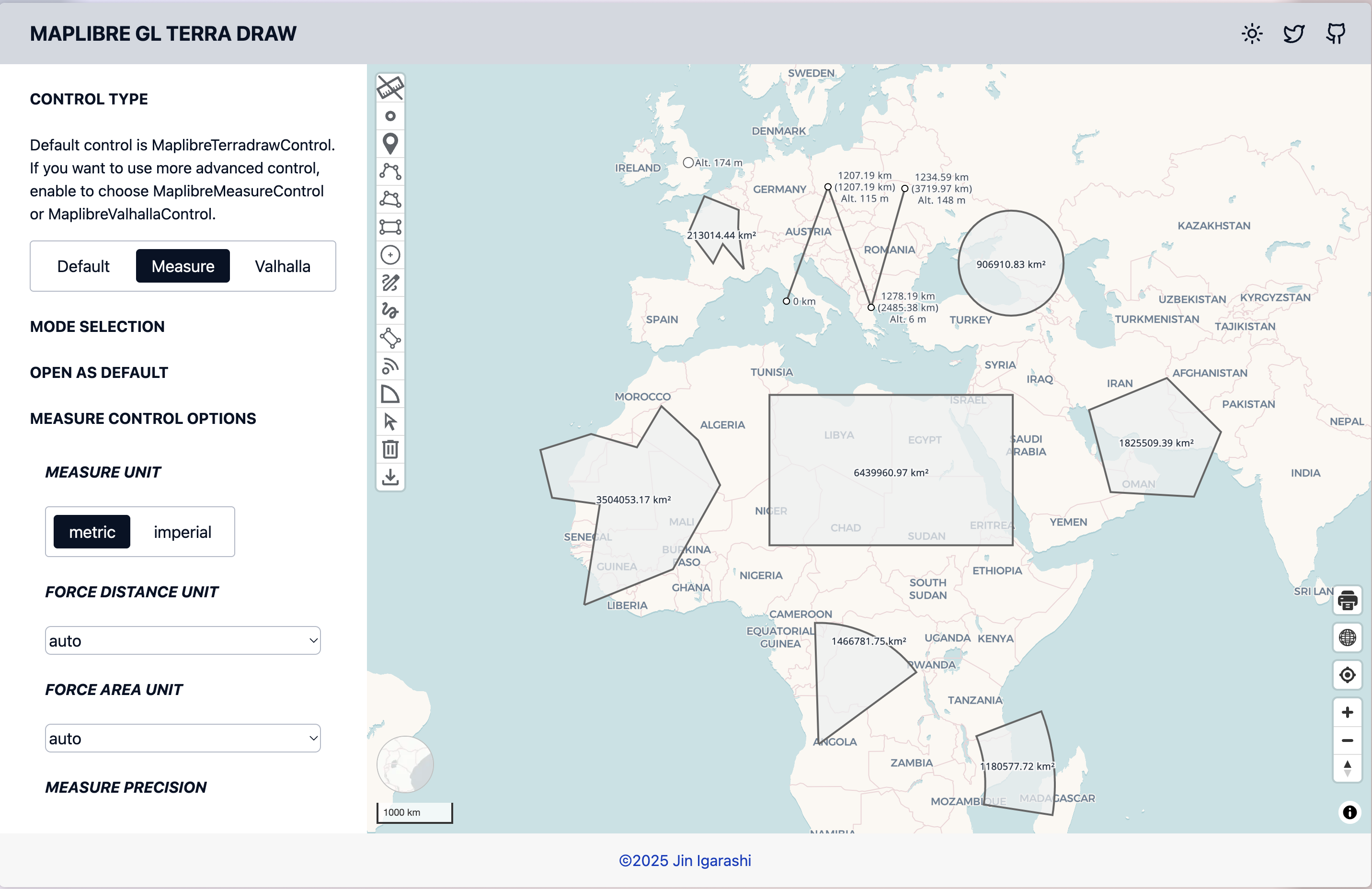 MaplibreMeasureControl for measuring distance, area and altitude
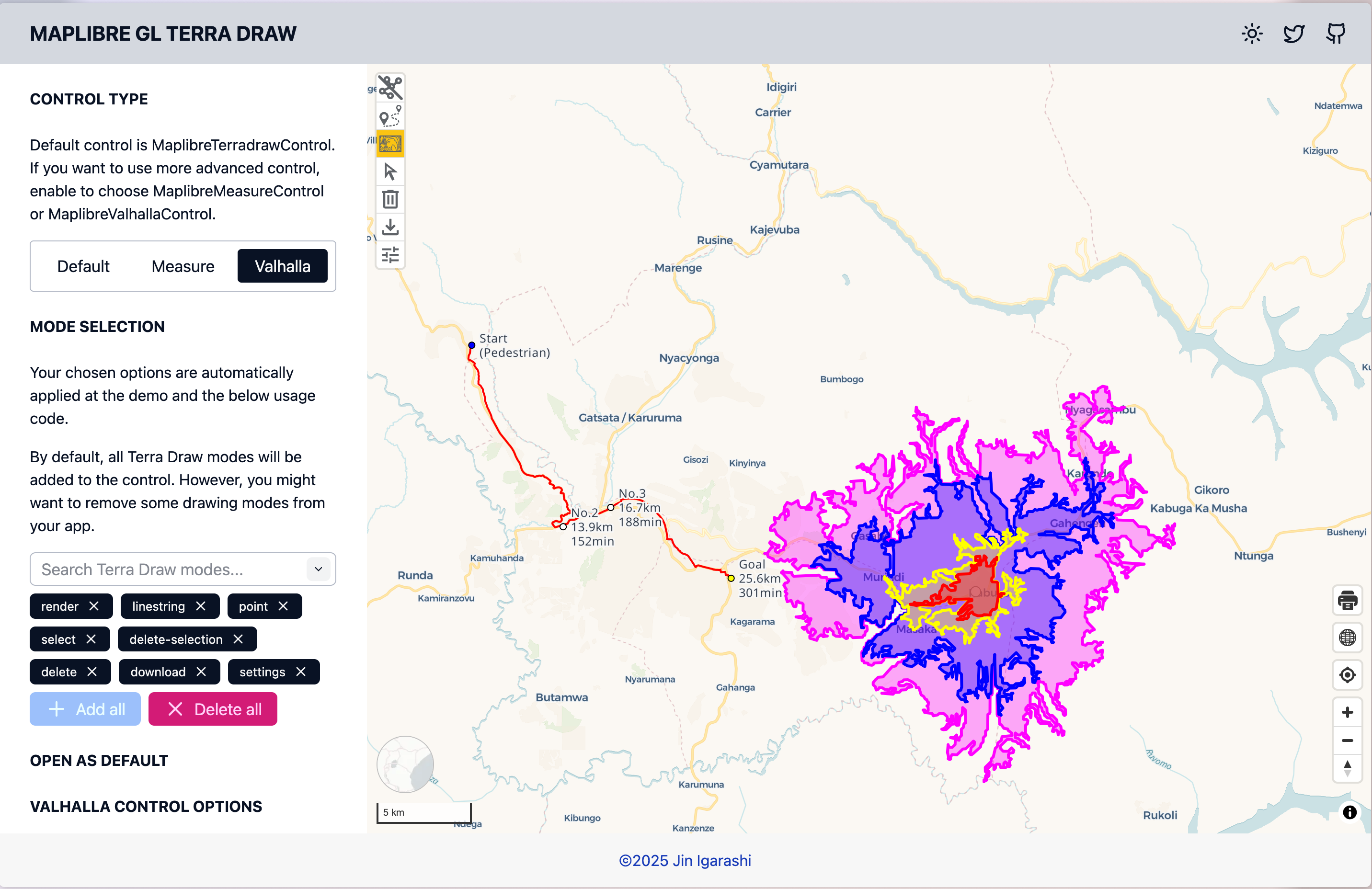 MaplibreValhallaControl to integrate with Valhalla Routing and Isochrone API
All Terra Draw APIs are accessible
Through the plugin, all Terra Draw APIs are accessible via the plugin constructor and the getTerraDrawInstance method:
const drawControl = new MaplibreTerradrawControl({
    modes: ['polygon', 'select', 'delete'], // choose which buttons are needed
    open: true, // set default state either expanded or collapsed
    modeOptions: {}, // pass your own Terra Draw mode options to override default settings
    adapterOptions: {} // pass your own adapter settings
});

// You can get the Terra Draw instance from the plugin to do whatever you want
const draw = drawControl.getTerraDrawInstance();
// do something
Demo
Open terradraw.water-gis.com/ for the demo of maplibre-gl-terradraw.
Many examples are available showing how to configure Terra Draw and the plugin.
Source code
The GitHub repository is at watergis/maplibre-gl-terradraw.
What's Next?
Finally, let's see how the very same Terra Draw code works with other mapping libraries.